
As the 2023 season approaches, we wanted to share some important updates regarding the Yahoo! Fantasy Football app and its chat features. Over the years, we’ve been using Yahoo! Fantasy for our league’s communication, and there have been some changes that we’d like to highlight.
Evolution of Chat Features:
Since 2016, we’ve been using Yahoo! Fantasy Football app’s message board and chat features for our league communication, along with a number of outside socials. Over the years, we’ve shifted more to using the outside socials since the Yahoo! Fantasy options were only available seasonally. However, this year, there have been some significant changes. The message board has been removed, and Yahoo! is focusing on enhancing the chat feature. This new chat feature includes features like message threading, pinning important messages, and more.
League Updates vs. League Chat:
Last season or maybe the season before, Yahoo! introduced League Updates within the chat feature, which unfortunately disrupted our league chat conversations. Many of us turned off notifications due to the influx of player adds and drops notifications. While Yahoo! claims the chat app is more robust than ever, and more options are coming, it appears that as this season begins, the mobile app chat will still have League Chat and League Updates combined by default and remain only available during the season.
Navigating the Chat Feature:
On the web version of the chat, there are three tabs available: All Chat, League Chat, and League Updates. This allows us to separate League Chat from League Updates and continue uninterrupted conversations. Unfortunately, this tab feature isn’t yet available on the mobile version for everyone, but you can change your options to turn off the League Updates.
Managing Notifications:
To return to the familiar League Chat that we’ve used in previous seasons, you can manage notifications on the mobile app as follows:
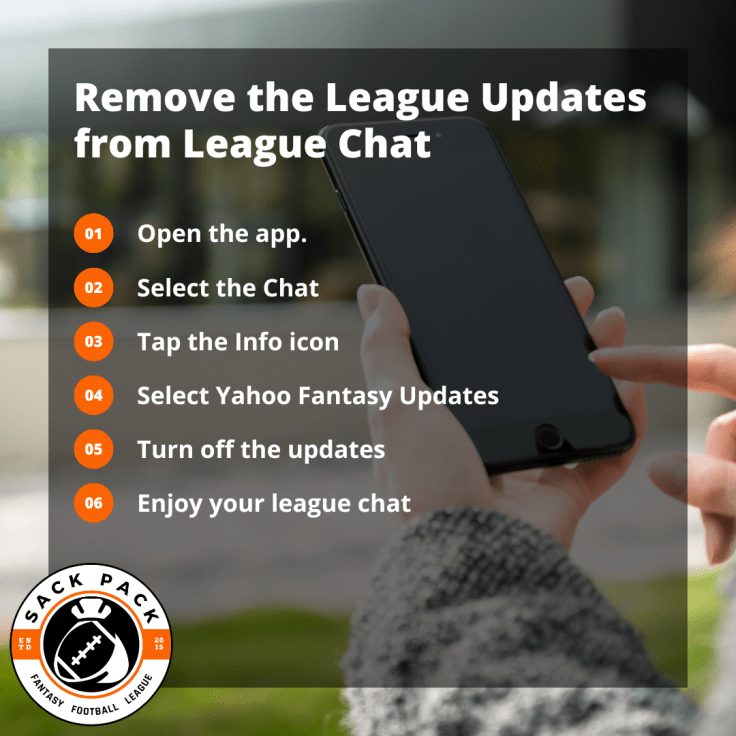
- Open the Yahoo! Fantasy app on your mobile device.
- Select the Chat icon in the upper right or “League” in the lower right of your screen.
- Choose your League chat.
- Tap the Information icon (represented by the letter “i” in a circle) in the upper right corner.
- Toggle your chat notifications on or off. It’s recommended to turn them on.
- Select “Yahoo Fantasy Updates” to manage specific notifications such as Matchup Challenge, Draft Picks, and League Transactions. It is recommended that you turn all of these off.
Staying Connected:
While Yahoo! Fantasy chat is our main platform, we also use various other communication channels like Discord, text, Facebook Groups, Instagram, Twitter, YouTube, Twitch, email, and our sackpack.org blog to stay connected throughout the year. We’re currently using ten forms of communication to engage our league of fourteen members. As the season progresses, we’ll continue to evaluate and refine our communication methods to ensure that everyone stays connected in the way that’s most convenient for them.
Feel free to reach out if you have any questions or need assistance accessing any of these communication channels. Here’s to a fantastic 2023 season of Sack Pack Fantasy Football!
 Sack Pack Fantasy Football League
Leave a comment